
[SIGRH] CADASTRO - CADASTRAR COLABORADORES VOLUNTÁRIOS
-
Acesse o sistema, entre no SIGRH com suas credenciais
-
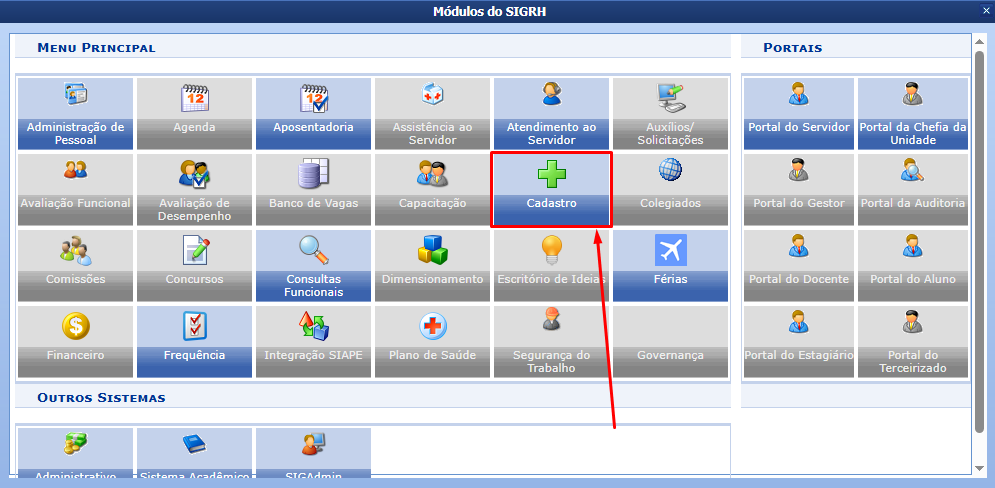
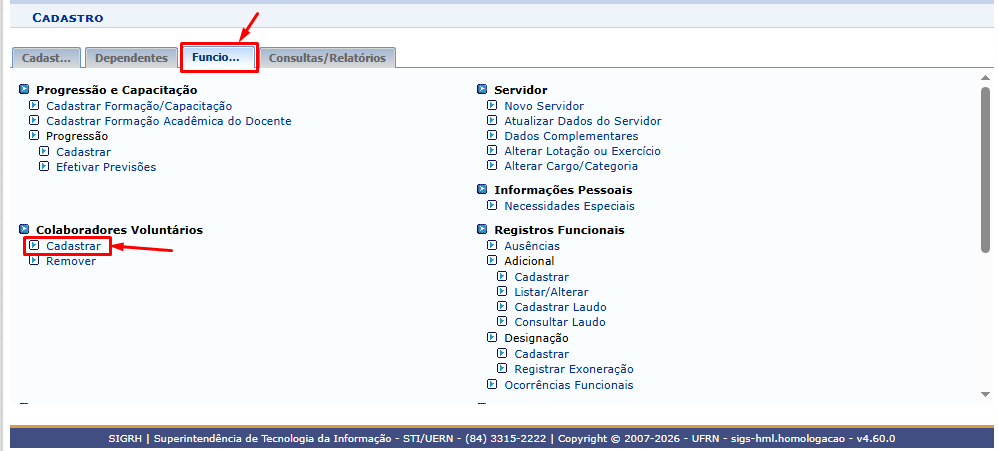
Siga por Módulos >> Cadastro >> Funcional >> Colaboradores Voluntários >> Cadastrar

-
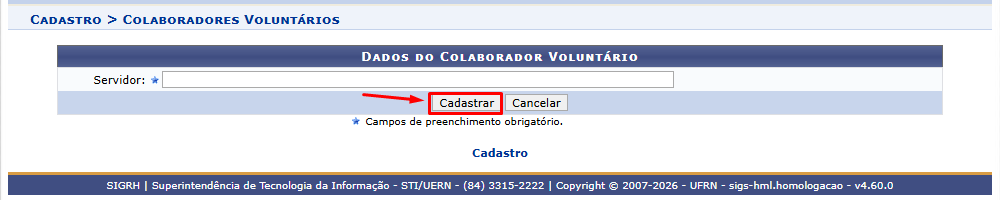
Digite e selecione o nome do servidor que deseja cadastrar como contribuidor voluntário e em seguida clique em “Cadastrar”
-
A mensagem em verde indica que o colaborador foi cadastrado.
